Best Image Sizes for Anyanyanysahur Uploads
Learn which source images work best before you crop, scale, and publish an Anyanyany Sahur creation to the gallery.
Part of Anyanyany Sahur Creator Guide
Jump to section
Start Larger Than the Final Output
Anyanyanysahur processes uploads into a square output, so the source image should have enough resolution to survive cropping and resizing. A source around 800 by 800 pixels or larger is a good practical baseline. Bigger is fine, as long as the file stays within the upload limit.
Small images can still work, especially if they are simple and high contrast, but they leave less room for adjustment. If you zoom into a low-resolution screenshot, the final image may look soft or blocky.
When possible, use the cleanest version of the image you have. A sharp source gives the cropper more detail and makes the final WebP conversion look better.
Square Images Need the Least Work
Because the final creation is square, square-friendly images are easiest to publish. If the subject is already centered and the background is not too busy, you may only need small scale and offset adjustments.
This does not mean every source image must be square. Wide and tall images can be great, but they require more judgment. You need to decide which parts of the original frame matter and which can be removed.
If a wide image contains multiple subjects, choose one focal point. Trying to preserve everything usually makes the final square feel crowded and less readable.
Wide Images Need a Strong Focal Point
Wide images often include useful context, but the square crop cannot keep all of it. The best wide images have one subject that can stand alone after the sides are removed.
For example, a reaction face from a wide screenshot may work better than the full scene. Crop into the expression, keep just enough background to explain the situation, and let the title fill in the rest.
If the joke depends equally on the left and right sides of a wide image, it may not be a good fit for the current output format.
Tall Images Need Careful Zoom
Tall images can become awkward if the subject runs from top to bottom. The square crop may cut off important parts unless you zoom out, but zooming out can make the subject too small.
A good rule is to prioritize the most expressive area. For people and animals, that usually means the face. For objects, it means the shape or detail that makes the object funny.
If the tall image has too much empty space above or below the subject, use offset controls to remove that dead area from the final square.
File Size Still Matters
Large source images are useful, but oversized files can slow down uploads and processing. Anyanyanysahur rejects files that are too large, so you should avoid uploading massive raw images when a normal compressed PNG or JPG would do.
The ideal source is clear, not enormous. A reasonably compressed image with a strong subject will usually publish better than a huge file with weak composition.
Quick examples
Concrete before-and-after patterns you can apply while creating, naming, or browsing.
Crop
Weak: Keep the whole screenshot so every tiny detail remains visible.
Better: Crop around the face, object, or moment that makes the image work.
Name
Weak: random funny upload
Better: confused lobby stare
Make your own Sahur image
Open the creator, upload a source image, adjust the crop, and name your next gallery post.
Browse gallery examples
See real Anyanyany Sahur uploads, likes, downloads, creator profiles, and detail pages.
Popular gallery examples
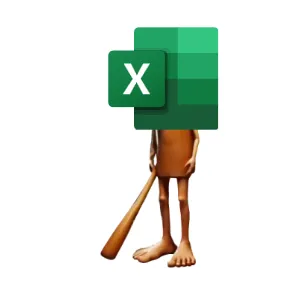
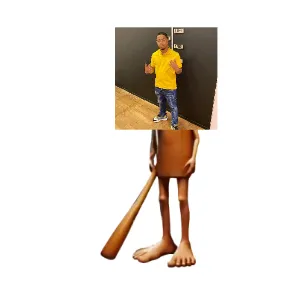
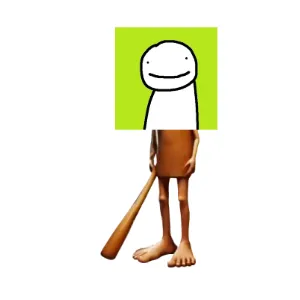
Real creations from the public gallery that show how likes, downloads, titles, and detail pages work in practice.
Useful next links
Creation Guides
Practical guides for choosing source images, cropping stronger meme cards, naming uploads, and publishing better Anyanyany Sahur creations.
A Beginner's Guide to Anyanyanysahur Uploads
A simple walkthrough for uploading, cropping, naming, downloading, and publishing your first Anyanyany Sahur creation.
How to Make Anyanyany Sahur Images People Actually Share
A practical guide to choosing images, framing the crop, and naming your Anyanyany Sahur creations for maximum gallery appeal.
Previous in Anyanyany Sahur Creator Guide
Common Meme Upload Mistakes and How to Fix Them
Next in Anyanyany Sahur Creator Guide
Turning Random Screenshots Into Gallery-Worthy Posts
Article FAQ
What makes a stronger Anyanyany Sahur upload?
A stronger upload usually has one clear subject, an intentional square crop, enough contrast to read in the gallery, and a short descriptive title.
Should I publish every experiment?
No. The public gallery is better when creators choose their strongest finished images instead of publishing every crop test.
About Anyanyanysahur
Related guides
More articles connected by topic, gallery behavior, or creation workflow.
Creation Guides
Related by Creation Guides
Common Meme Upload Mistakes and How to Fix Them
A practical checklist for avoiding blurry crops, cluttered screenshots, vague titles, and other mistakes that weaken gallery uploads.
Read nextCreation Guides
Related by Creation Guides
A Beginner's Guide to Anyanyanysahur Uploads
A simple walkthrough for uploading, cropping, naming, downloading, and publishing your first Anyanyany Sahur creation.
Read nextCreation Guides
Related by Creation Guides
How to Make Anyanyany Sahur Images People Actually Share
A practical guide to choosing images, framing the crop, and naming your Anyanyany Sahur creations for maximum gallery appeal.
Read next