Turning Random Screenshots Into Gallery-Worthy Posts
How to pick, crop, and title screenshots so they work as Anyanyanysahur uploads instead of confusing gallery clutter.
Part of Anyanyany Sahur Creator Guide
Jump to section
Screenshots Need a Clear Center
Screenshots are tempting because they capture a moment quickly, but most screenshots contain too much information. Browser chrome, chat panels, sidebars, timestamps, and tiny labels all compete with the actual joke. Before uploading one, decide what the viewer is supposed to notice first.
If the screenshot has a face or reaction, crop around that. If it has a strange object, make the object dominant. If it has a UI moment, remove every part of the interface that does not help explain it.
The useful question is not whether the screenshot is funny to you. It is whether someone who was not there can understand the visual idea from a small square card. If the answer is no, the crop needs to do more work.
Cut Interface Noise
A screenshot that looked clear on your monitor may become unreadable inside a square gallery card. Small text is usually the first thing to fail. Instead of relying on tiny words, use the crop to emphasize the visual emotion of the screenshot.
The best screenshot uploads often feel less like screenshots after cropping. They become simple scenes: a stare, a strange menu, an impossible object, or a moment that looks funny even without the original context.
Browser bars, desktop taskbars, empty chat columns, and side panels usually make the final upload feel accidental. Removing them makes the image look more like a finished creation and less like a raw capture from your screen.
Let the Title Restore Context
Once you remove UI noise, the title can carry the context that no longer fits in the image. A name like “inventory panic sahur” or “browser tab disaster” tells people what kind of moment they are seeing.
This is better than keeping the full screenshot just so every detail survives. The image should grab attention; the title should clarify the situation.
Good screenshot titles often name the setting and the feeling. Game lobby confusion, spreadsheet threat, or settings menu panic gives the viewer enough setup while keeping the card clean.
Avoid Private or Sensitive Details
Screenshots can accidentally contain personal information, usernames, private messages, server names, or browser tabs. Before publishing, scan the edges of the image and remove anything that should not be public.
A safer screenshot is also cleaner visually. Cropping out private details often improves the final composition at the same time.
If a private detail is central to the joke, the screenshot probably is not a good public upload. Choose a version where the humor comes from the visible situation rather than someone else's personal information.
Check the Final Card, Not the Source
The source screenshot is only raw material. The thing that matters is the final gallery card after scaling, offsetting, and conversion. Always judge the published-looking preview instead of the original file.
If the final card still depends on tiny text, zoom out less or choose a more visual moment. If the subject is clear without explanation, the screenshot has probably become a real gallery post.
Quick examples
Concrete before-and-after patterns you can apply while creating, naming, or browsing.
Crop
Weak: Keep the whole screenshot so every tiny detail remains visible.
Better: Crop around the face, object, or moment that makes the image work.
Name
Weak: random funny upload
Better: confused lobby stare
Make your own Sahur image
Open the creator, upload a source image, adjust the crop, and name your next gallery post.
Browse gallery examples
See real Anyanyany Sahur uploads, likes, downloads, creator profiles, and detail pages.
Popular gallery examples
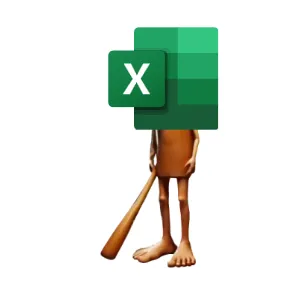
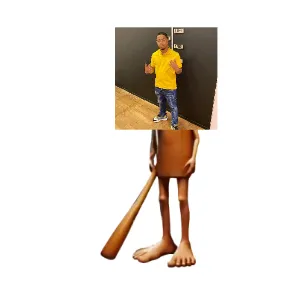
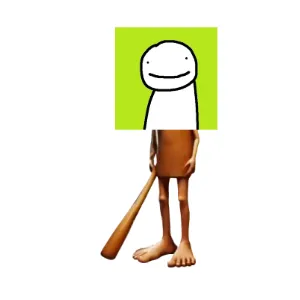
Real creations from the public gallery that show how likes, downloads, titles, and detail pages work in practice.
Useful next links
Creation Guides
Practical guides for choosing source images, cropping stronger meme cards, naming uploads, and publishing better Anyanyany Sahur creations.
A Beginner's Guide to Anyanyanysahur Uploads
A simple walkthrough for uploading, cropping, naming, downloading, and publishing your first Anyanyany Sahur creation.
How to Make Anyanyany Sahur Images People Actually Share
A practical guide to choosing images, framing the crop, and naming your Anyanyany Sahur creations for maximum gallery appeal.
Previous in Anyanyany Sahur Creator Guide
Best Image Sizes for Anyanyanysahur Uploads
Next in Anyanyany Sahur Creator Guide
Why Square Images Work So Well for Memes
Article FAQ
What makes a stronger Anyanyany Sahur upload?
A stronger upload usually has one clear subject, an intentional square crop, enough contrast to read in the gallery, and a short descriptive title.
Should I publish every experiment?
No. The public gallery is better when creators choose their strongest finished images instead of publishing every crop test.
About Anyanyanysahur
Related guides
More articles connected by topic, gallery behavior, or creation workflow.
Creation Guides
Related by Creation Guides
Common Meme Upload Mistakes and How to Fix Them
A practical checklist for avoiding blurry crops, cluttered screenshots, vague titles, and other mistakes that weaken gallery uploads.
Read nextCreation Guides
Related by Creation Guides
A Beginner's Guide to Anyanyanysahur Uploads
A simple walkthrough for uploading, cropping, naming, downloading, and publishing your first Anyanyany Sahur creation.
Read nextCreation Guides
Related by Creation Guides
How to Make Anyanyany Sahur Images People Actually Share
A practical guide to choosing images, framing the crop, and naming your Anyanyany Sahur creations for maximum gallery appeal.
Read next