How to Make Anyanyany Sahur Images People Actually Share
A practical guide to choosing images, framing the crop, and naming your Anyanyany Sahur creations for maximum gallery appeal.
Part of Anyanyany Sahur Creator Guide
Jump to section
Start With a Recognizable Subject
The strongest Anyanyany Sahur creations start with a subject that reads instantly. That can be a face, an animal, an object, a dramatic pose, or a strange screenshot, but the viewer should understand the image before they read the title. If the joke only works after explaining five pieces of background context, it probably will not land well in a fast-scrolling gallery.
Think about the final image as a thumbnail first. A big expression, a clean silhouette, or a single obvious object will usually outperform a crowded scene. The gallery is built around quick browsing, so the first test is simple: can someone tell what they are looking at in one second?
If you are choosing between two source images, pick the one with clearer shapes and stronger contrast. The funniest idea still needs a readable frame. A clean image gives the cropper more room to make the final result feel intentional instead of accidental.
Frame the Crop Around the Joke
The crop controls are where the upload becomes a creation. Scaling, offset X, and offset Y decide which part of the image gets attention. If the subject has an expressive face, center the expression. If the joke is an awkward object, make the object impossible to miss. The frame should guide the viewer toward the punchline.
A common mistake is leaving too much empty space because the original image looked good at full size. The gallery output is smaller and square, so empty space has a higher cost. Zooming in slightly often makes the final creation feel more confident and easier to understand.
That does not mean every image should be cropped aggressively. Some jokes need a bit of surrounding context, like a person reacting to something nearby. The trick is to keep the context that supports the idea and cut everything that competes with it.
Use Contrast and Simplicity
Images with strong light and dark separation are easier to scan. If the subject blends into the background, the result may look muddy after resizing. A simple background, a bright face, or a clear object edge helps the gallery card stand out.
This matters even more for meme-style images because people rarely inspect them carefully on the first pass. They glance, laugh or do not laugh, and move on. High contrast gives the image a better chance to survive that first glance.
If a screenshot contains a lot of small UI, crop around the human or object that carries the emotion. Tiny labels, chat messages, and interface details often disappear at gallery size, so do not let them become the main visual dependency.
Write a Name That Adds Context
A good title does not need to explain the entire joke. It should add just enough context for the image to make sense. Names like “confused cat sahur,” “midnight snack boss,” or “late lobby stare” are more useful than random keyboard mash because they give both humans and search engines something to understand.
The best pattern is usually subject plus mood. Start with what is in the image, then add the feeling or situation. That keeps names short, scannable, and searchable without making them boring.
Avoid stuffing titles with every keyword you can think of. That makes the gallery feel spammy and can make the joke weaker. A natural descriptive name is better for sharing, browsing, and SEO.
Publish Less, Choose Better
Anyanyanysahur has upload limits for a reason: the gallery gets better when people choose their strongest ideas. Before publishing, compare your new creation to the last few things you uploaded. If it feels weaker, keep experimenting instead of pushing it live immediately.
A simple quality check helps: is the subject readable, is the crop intentional, and does the title add something useful? If the answer is yes, the upload is probably ready. If not, a small adjustment can make a big difference.
The goal is not perfection. The goal is a creation that someone else can understand, react to, and maybe download or like. That is the difference between a private experiment and a public gallery post.
Quick examples
Concrete before-and-after patterns you can apply while creating, naming, or browsing.
Crop
Weak: Keep the whole screenshot so every tiny detail remains visible.
Better: Crop around the face, object, or moment that makes the image work.
Name
Weak: random funny upload
Better: confused lobby stare
Make your own Sahur image
Open the creator, upload a source image, adjust the crop, and name your next gallery post.
Browse gallery examples
See real Anyanyany Sahur uploads, likes, downloads, creator profiles, and detail pages.
Popular gallery examples
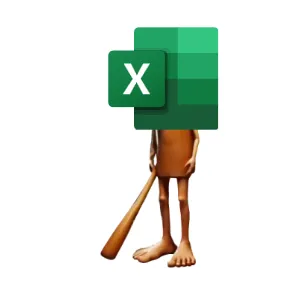
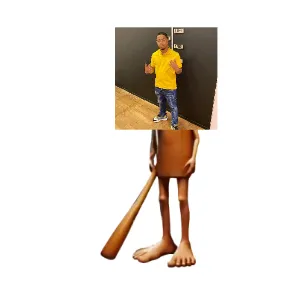
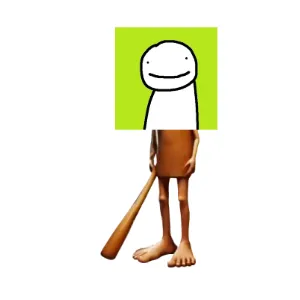
Real creations from the public gallery that show how likes, downloads, titles, and detail pages work in practice.
Useful next links
Creation Guides
Practical guides for choosing source images, cropping stronger meme cards, naming uploads, and publishing better Anyanyany Sahur creations.
A Beginner's Guide to Anyanyanysahur Uploads
A simple walkthrough for uploading, cropping, naming, downloading, and publishing your first Anyanyany Sahur creation.
Common Meme Upload Mistakes and How to Fix Them
A practical checklist for avoiding blurry crops, cluttered screenshots, vague titles, and other mistakes that weaken gallery uploads.
Previous in Anyanyany Sahur Creator Guide
A Beginner's Guide to Anyanyanysahur Uploads
Next in Anyanyany Sahur Creator Guide
Common Meme Upload Mistakes and How to Fix Them
Article FAQ
What makes a stronger Anyanyany Sahur upload?
A stronger upload usually has one clear subject, an intentional square crop, enough contrast to read in the gallery, and a short descriptive title.
Should I publish every experiment?
No. The public gallery is better when creators choose their strongest finished images instead of publishing every crop test.
About Anyanyanysahur
Related guides
More articles connected by topic, gallery behavior, or creation workflow.
Creation Guides
Related by Creation Guides
Common Meme Upload Mistakes and How to Fix Them
A practical checklist for avoiding blurry crops, cluttered screenshots, vague titles, and other mistakes that weaken gallery uploads.
Read nextCreation Guides
Related by Creation Guides
A Beginner's Guide to Anyanyanysahur Uploads
A simple walkthrough for uploading, cropping, naming, downloading, and publishing your first Anyanyany Sahur creation.
Read nextCreation Guides
Related by Creation Guides
Best Image Sizes for Anyanyanysahur Uploads
Learn which source images work best before you crop, scale, and publish an Anyanyany Sahur creation to the gallery.
Read next