What Is Anyanyany Sahur?
A clear introduction to Anyanyanysahur: what the meme creator does, how the gallery works, and why Steam login keeps uploads useful.
Part of Trust and Search Guide
Jump to section
A Creator and Gallery in One Place
Anyanyanysahur is a small web app for turning source images into shareable Anyanyany Sahur-style creations. You upload an image, adjust the crop, name the result, and either download it or publish it to the public gallery.
The useful part is that the creator and gallery are connected. The tool is not only for making a private image; it also gives finished creations a place where other people can browse, like, download, and compare them.
That makes the site feel different from a one-off image editor. The final output has a destination. A creation can become part of a public feed, a creator profile, a detail page, and a set of related uploads.
The Crop Is the Main Creative Step
Most images need a little shaping before they work as gallery posts. Scaling, offset X, and offset Y decide what the final square image emphasizes. A strong crop makes the subject readable before anyone looks at the title.
This is why the creator is simple on purpose. Instead of offering too many editing choices, it focuses on the decisions that matter most for a meme gallery: what should be visible, how close the subject should be, and whether the final card feels clear.
The square output also makes the gallery easier to browse. Every upload gets the same visual footprint, so the difference between weak and strong posts comes from the subject, crop, and title rather than from uneven layout sizes.
The Gallery Shows What People Respond To
Once creations are published, the gallery becomes a feedback loop. New uploads appear in the feed, likes show community approval, and downloads show which images people want to keep or reuse.
Different sorts reveal different kinds of value. Newest shows fresh experiments, likes show broad reactions, and downloads show images that travel well outside the site.
Detail pages add another layer to that loop. Each creation can have its own shareable URL, metadata, creator link, and related posts, which makes the gallery easier to navigate than a single endless grid.
Steam Login Keeps Publishing Lightweight
Steam login is used for public publishing because it gives each creator a stable identity without requiring a separate account system. That stable identity makes upload limits, likes, and creator profiles more reliable.
The point is not to make a serious social network. It is to keep the gallery readable while still letting people make strange, funny, and fast images.
Because publishing is tied to Steam, the gallery can show recognizable creator names and avatars when available. That makes repeat contributors easier to spot without forcing users through a separate profile setup.
What Visitors Can Do
Visitors can browse the gallery, open individual creations, copy or share detail links, download images, and inspect creator profiles. Logged-in Steam users can also publish uploads and like creations.
That split keeps the site approachable. Browsing and sharing are open, while actions that affect the public gallery use a stable identity so the shared space stays easier to trust.
Quick examples
Concrete before-and-after patterns you can apply while creating, naming, or browsing.
Title
Weak: creation
Better: suspicious spreadsheet sahur
Internal link
Weak: A blog post that never links back to the gallery or creator.
Better: A guide that links naturally to create, gallery, related posts, and detail pages.
Make your own Sahur image
Open the creator, upload a source image, adjust the crop, and name your next gallery post.
Browse gallery examples
See real Anyanyany Sahur uploads, likes, downloads, creator profiles, and detail pages.
Popular gallery examples
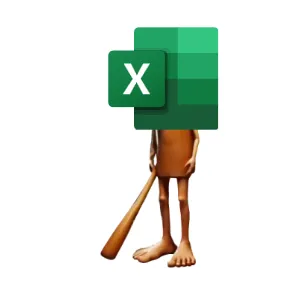
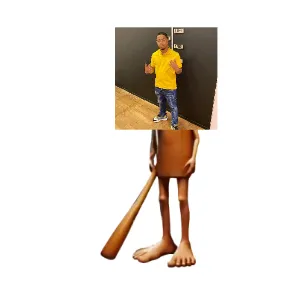
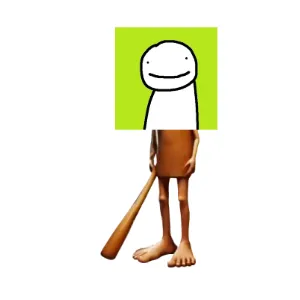
Real creations from the public gallery that show how likes, downloads, titles, and detail pages work in practice.
Useful next links
SEO & Discovery
How titles, metadata, images, and internal links help meme gallery content become easier to search, share, and understand.
Why Steam Login Keeps the Anyanyanysahur Gallery Cleaner
How Steam authentication, upload limits, and rate limiting help keep the public gallery useful without making posting feel heavy.
The Basics of a Safer Community Image Gallery
A look at practical product choices that keep an image gallery fun: identity, limits, rate limiting, and transparent counters.
Next in Trust and Search Guide
Why Steam Login Keeps the Anyanyanysahur Gallery Cleaner
Article FAQ
Is Anyanyanysahur only an image editor?
No. It combines a creator with a public gallery, detail pages, likes, downloads, creator profiles, and sharing links.
Do I need Steam to browse?
No. Browsing and sharing are open. Steam login is needed for public publishing and logged-in likes.
About Anyanyanysahur
Related guides
More articles connected by topic, gallery behavior, or creation workflow.
SEO & Discovery
Related by SEO & Discovery
Naming Memes for Search, Sharing, and Gallery Discovery
Better names make Anyanyanysahur creations easier to understand, easier to share, and more useful for search engines.
Read nextSEO & Discovery
Related by SEO & Discovery
Building a Meme Gallery That Search Engines Understand
How titles, blog posts, image metadata, structured data, and internal links help a playful gallery become crawlable.
Read nextCreation Guides
Related by sahur meme maker
How to Make Anyanyany Sahur Images People Actually Share
A practical guide to choosing images, framing the crop, and naming your Anyanyany Sahur creations for maximum gallery appeal.
Read next